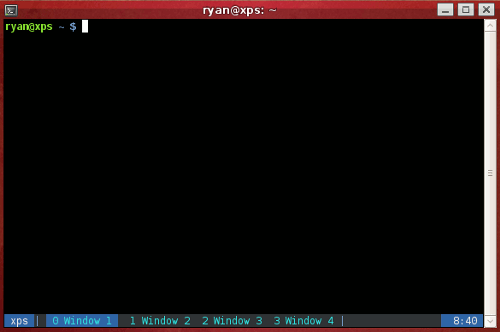
Screen may be the most useful Linux applications when it comes to getting things done through the terminal. This custom screenrc configuration file will provide you with a permanent caption line at the bottom of each window. This caption line will enable you to easily keep track of each terminal window and provide other helpful information such as host and current time.
When screen is invoked, it executes initialization commands from the files “/etc/screenrc” and “.screenrc” in the user’s home directory.
Simply create a file in your home directory with vim or some other editor.
$ vim ~/.screenrc
And place the following line in the file.
caption always "%{Wb} %H %{Bk}| %{Ck}%-w%50>%{Cb} %n %t %{-}%+w%<%{- Wk}%{Bk} | %=%{Wb} %C "
Now launch a new screen session for it to take effect.
Here is an example of what it will look like.