

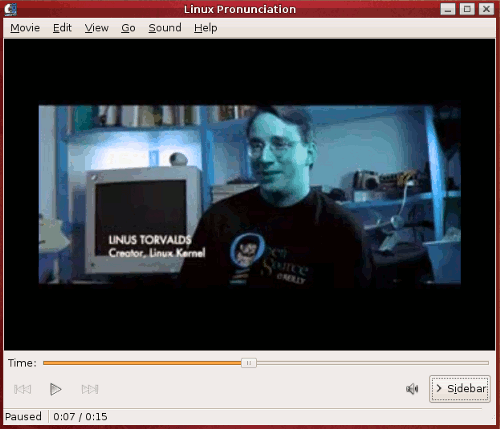
A strange issue has been identified in Ubuntu where video takes on a blue colored tint. Other descriptions of the problem include inverted colors, blue skin tones, or distorted video hues. The problems have been reproduced with Totem (Gstreamer), Totem (Xine), Mplayer, as well as VLC and other players.
The common theme with this bug seems to be the use of the Nvidia closed source drivers.
Update 3/11/2011: The problem has been isolated to the interaction between the proprietary NVIDIA driver and the X video extension. The fix should now restore correct video color to all players.
Here is an example showing the blue tint problem.
There are 3 fixes you can try. I have listed them from best to worst.
Fix 1: Install the recomended NVIDIA drivers
Change to the recommended drivers.
System -> Administration -> Additional Drivers
You should have 2 proprietary drivers available. Choose the recommended driver which should be your second option. Restart your system and you should be good to go!
Fix 2: Create a custom setting in gstreamer-properties
Make a change to gstreamer-properties.
Open gstreamer-properties from within a terminal.
$ gstreamer-properties
Now click on the Video tab. From the Plugin dropdown box select Custom. Finally add the following line to the Pipeline box.
videobalance hue=-1 ! autovideosink
The window should look like this.

Fix 3: Turn off Xv optimizations
This is basically your last resort. This will fix your issues for all video players but will result in higher CPU utilization.
Make a change to gstreamer-properties.
Open gstreamer-properties from within a terminal.
$ gstreamer-properties
Now click on the Video tab. From the Plugin dropdown box select X Window System (No Xv).